> ## Documentation Index
> Fetch the complete documentation index at: https://java.agentscope.io/llms.txt
> Use this file to discover all available pages before exploring further.

# Create and run a Team

<Note>
  This is preview documentation. The official release is not yet available.
</Note>

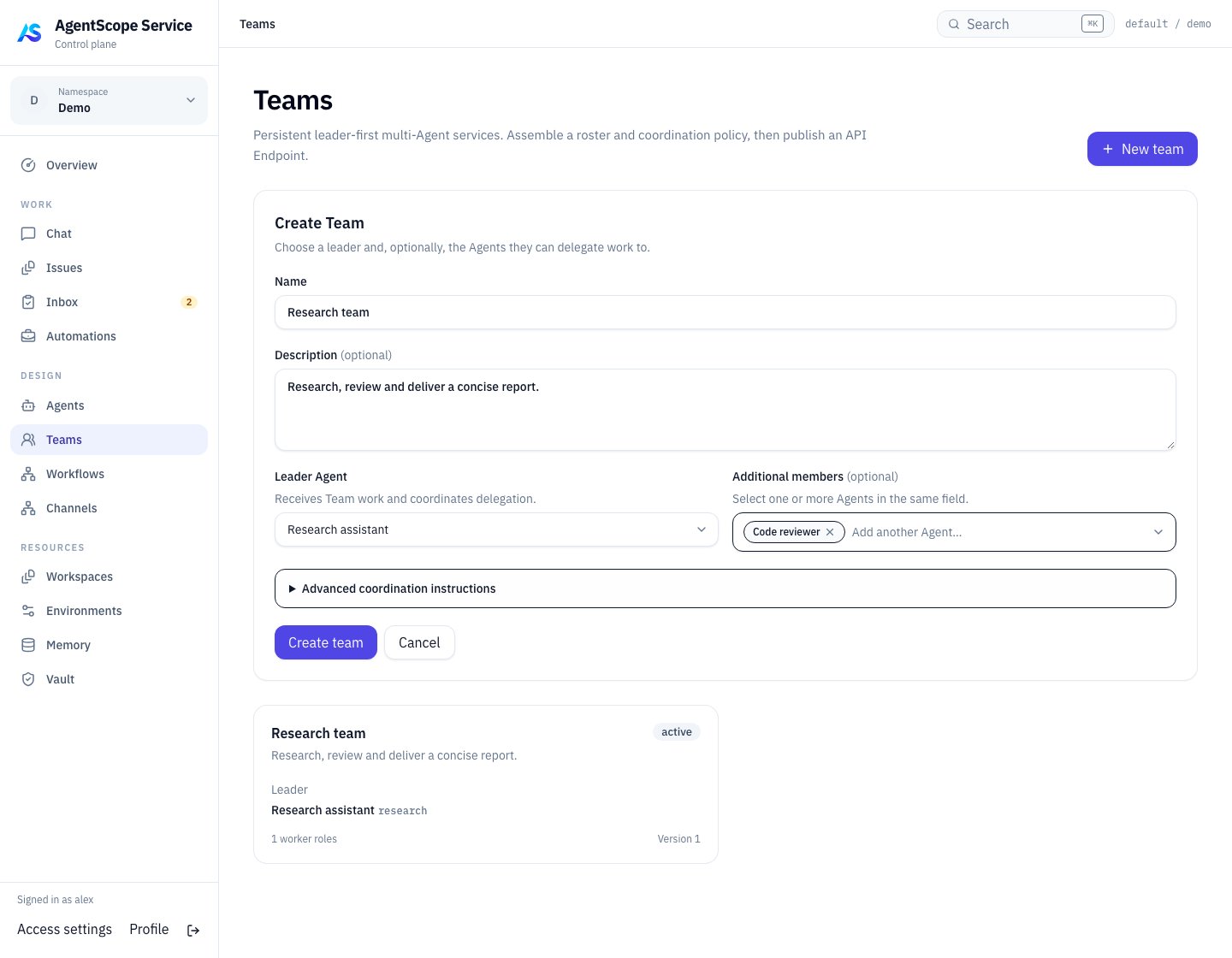
A Team combines registered Agents into one unit that applications can assign work to or invoke. Its Leader interprets the objective, delegates to members, and consolidates delivery. Members exchange work through tasks and discussion, so applications do not need to implement every internal delegation step.

Managed, External, and Hosted Agents can participate according to their capabilities. Verify registration, task execution, and the required collaboration protocol first. Team membership does not add tools or protocol support to a runtime.

For a first team, create an organizer and a reviewer using the [Managed Agent tutorial](/v2/en/service/create-managed-agent), then complete this guide with those two Managed Agents. Team does not require External or Hosted members; add them when existing capabilities are needed. See [orchestration choices](/v2/en/service/orchestration) for Subagent, Team, and Workflow boundaries.

<span id="teams" />

<span id="in-this-chapter" />

<span id="apis-and-resource-relationships" />

<span id="try-and-expose-the-team" />

## Check readiness

| State | Meaning and next action |
| - | - |
| Ready | Configuration and member capabilities pass readiness checks; verify a small task |
| Degraded | Some members or capabilities are unavailable; inspect individual reasons |
| Unavailable | Effective collaboration cannot start; check the Lead and runtime dependencies |

Members can use different execution types. Before configuring Runtime policy or member overrides, check capabilities, runtime targets and security constraints. Additional candidates do not imply seamless session migration.

## Create a review team

The examples use Bash, `curl`, and `jq`. Set `SERVICE_URL` to your Service address, `TOKEN` to a user Bearer token, and `TENANT` / `NAMESPACE` to your authorized scope; see [API authentication](/v2/en/service/api-reference). Define this request helper:

```bash theme={null}
api() {
  curl --fail-with-body --silent --show-error \
    -H "Authorization: Bearer $TOKEN" \
    -H "X-AgentScope-Tenant: $TENANT" \
    -H "X-AgentScope-Namespace: $NAMESPACE" \
    -H 'Content-Type: application/json' "$@"
}
```

Set `LEADER_AGENT_ID` to a material-organizing Agent and `REVIEWER_AGENT_ID` to a reviewer. The Leader is not repeated in `members`; member Agent IDs and roles must each be unique.

```bash theme={null}
created=$(api "$SERVICE_URL/api/v1/teams" --data "$(jq -n \
  --arg tenant "$TENANT" --arg namespace "$NAMESPACE" \
  --arg leader "$LEADER_AGENT_ID" --arg reviewer "$REVIEWER_AGENT_ID" \
  '{tenant:$tenant,namespace:$namespace,name:"Research review team",leaderAgentId:$leader,
    instructions:"The Leader drafts the report, delegates evidence checks to reviewer, then revises and consolidates delivery.",
    policy:{maxActiveTasks:3,maxFanout:2,requireReview:true},
    members:[{agentId:$reviewer,role:"reviewer",instructions:"Check facts, evidence, and unresolved information."}]}')")
TEAM_ID=$(jq -r '.team.id' <<<"$created")
api "$SERVICE_URL/api/v1/teams/$TEAM_ID/overview"
```

Team `instructions` explain coordination, member instructions define responsibilities, and `policy` bounds concurrency, delegation, and review. The overview shows configuration and activity. Creation does not prove that every runtime is online: verify member availability and execute a small task. See [Team configuration](/v2/en/service/team-configuration) for policy options.

## Submit team work and read results

Once the Team is ready, create a Session targeting it. This walkthrough continues with your platform identity. For a business backend, use an application credential granting this Team as explained in the [API guide](/v2/en/service/service-api).

```bash theme={null}
session=$(api "$SERVICE_URL/api/v1/agent-sessions" --data "$(jq -n \
  --arg team "$TEAM_ID" '{target:{type:"team",id:$team}}')")
SESSION_ID=$(jq -er '.id' <<<"$session")
turn=$(api "$SERVICE_URL/api/v1/agent-sessions/$SESSION_ID/turns" \
  -H 'Idempotency-Key: team-report-001' \
  --data '{"message":"Review this week’s material and deliver a report with sources."}')
TURN_ID=$(jq -er '.id' <<<"$turn")
api "$SERVICE_URL/api/v1/agent-sessions/$SESSION_ID/turns/$TURN_ID"
api "$SERVICE_URL/api/v1/agent-sessions/$SESSION_ID/snapshot"
```

Service dispatches the Leader and members in the background and projects progress into the Turn. Restore the application with a Session snapshot and event subscription. Use the root Turn's state to determine completion, not a member's completion notification. Open the associated Issue, Run, and graph in Console for diagnosis. [Work management](/v2/en/service/issues) remains available for manual assignment and acceptance; applications do not need to create those records themselves.

## Change membership and coordination

Read `GET /api/v1/teams/{teamId}` before editing. Add a member with `POST /api/v1/teams/{teamId}/members`, providing `agentId`, a unique `role`, and optional `instructions`. Use the returned `member.id` for later updates or removal.

Update Team configuration with `PATCH /api/v1/teams/{teamId}` and the current `expectedVersion`, preserving the name, leader, policy, and instructions you want to retain. Member updates use `expectedTeamVersion`. New Sessions select the updated configuration; existing Sessions retain their frozen Team definition. Removing a member does not cancel existing work.

## Expose the Team to applications

To call a Team, create a Session with `target:{"type":"team","id":"TEAM_ID"}` and submit work to `/turns`. Each Turn becomes an independent team task; the Session provides progress, actions, and artifacts. Issue credentials under an Application with an explicit grant for that Team. Callers do not need Agent or Team management rights. See the [API guide](/v2/en/service/service-api).

Agent API therefore also serves Teams: the external invocation contract is shared, while internal delegation follows the Team's collaboration mechanism. Team execution is not a Managed Agent resumable session. Managed-specific checkpoint and file APIs do not automatically apply to every member runtime.

Use [Workflow APIs](/v2/en/service/workflows) when business logic fixes the steps, dependencies, and approval order. For UI operations, see [Console: Teams and orchestration](/v2/en/service/console/index#console-orchestration); for collaboration behavior, see the [Team reference](/v2/en/service/create-team#teams).

<span id="team-collaboration" />

<span id="follow-collaboration-through-an-issue" />

<span id="policies-and-extension" />

<span id="finish-and-accept" />

## Design useful roles

For technical research, a Lead frames the question and combines the report, a Researcher supplies sourced facts, and a Reviewer checks evidence and omissions. Give each role a verifiable output and avoid unrestricted concurrent edits to the same files.

Members can mix Managed, Hosted and External execution when they support the required dispatch and collaboration capabilities. Chat availability does not prove coordinator capability. Verify members individually first.

## Collaboration APIs for applications

Use a user Bearer token and authorization to the relevant work. These endpoints operate durable business records without requiring the caller to know each member's runtime.

| Operation | API and key parameters |
| - | - |
| Add input or request work | `POST /api/v1/issues/{issueId}/comments`: `content`, optional `parentId`, `type`, `mentions:[{type,ref}]` |
| Preview routing | `POST /api/v1/issues/{issueId}/comments/preview-routing`: the comment body; returns `targets` |
| Read discussion | `GET /api/v1/issues/{issueId}/comments`: `limit`, `cursor`, optional `threadId`, `rootsOnly`; returns `items`, `nextCursor` |
| Create a child objective | `POST /api/v1/issues/{issueId}/children`: title, description, assignee, and acceptance fields; returns `issue`, `agentTask` |
| Query child work | `GET /api/v1/issues`: `tenant`, `namespace`, `parentIssueId` |
| Deliver files | `POST /api/v1/artifacts/uploads`: multipart `tenant`, `namespace`, `issueId`, `relation`, `file` |
| Read artifacts | `GET /api/v1/issues/{issueId}/artifacts`, then `POST /api/v1/artifacts/{artifactId}/download` |

Set `mentions[].type` to `agent`, `team`, or `human`, with the corresponding identifier in `ref`. Names in prose are not structured routing. Inspect the returned `routes` for queued, merged, or blocked delivery; saving a comment alone does not prove new work started. Use `type:"progress"` without mentions for an informational record without implicit dispatch.

## Communicate durably

Use Comments and mentions for updates, questions and follow-ups, Artifacts for files and child Issues for independently tracked objectives. Do not keep the sole collaboration record inside a member's process. Track handled inputs so retries do not answer the same request twice.

Runtime Host injects scoped credentials and context into tasks. Shell-capable providers can use:

```bash theme={null}
as task context
as issue current
as task progress --content-file ./progress.md
as task respond --content-file ./reply.md
as artifact upload ./report.md
as team current
as task run graph
```

Run these inside the Host-created task environment, not an administrator shell using copied internal credentials. MCP providers use corresponding collaboration tools. Coordinators must explicitly complete or fail their node; an ordinary reply does not finalize orchestration.

## Handoff template for independent review

When the [code repair service](/v2/en/service/cases/incident-to-pr) needs a multi-role Team, the Developer can use this structure with the PR and actual test records:

```text theme={null}
Goal: implement order filtering and pagination; preserve checks and add boundary tests.
Changes: identify modified files and rules.
Validation: JDK, directory, command, exit code, logs, and CI links.
Delivery: GitHub Issue, PR, head SHA, review, and Artifact identifiers.
Open items: list unverified conditions, or state that none remain.
```

This is a delivery structure, not a record of execution. The Lead must open real Artifacts and inspect evidence before summarizing. Member working directories are not automatically shared; an absolute local path in a comment does not establish that another member can read it.

## Runtime reporting identity and fields

Execution adapters use task credentials issued by Service for protocol operations under `/api/v1/agent-tasks/{taskId}`. A user token does not represent the executing task. `GET .../context` returns current work context; `POST .../progress` accepts `content`, optional `parentId`, and `mentions`; `POST .../complete` can report `expectedVersion`, `summary`, `result`, `usage`, and processed input IDs. `POST .../fail` accepts `expectedVersion`, `code`, and `message`.

Hosted providers usually access these operations through injected CLI / MCP tools. External adapters follow the [task integration protocol](/v2/en/service/external-agent#external-agent-execution). Coordinator node completion and failure require coordinator authority; reporting a member result does not grant Leader permissions.

For UI flows, see [Console: Teams and orchestration](/v2/en/service/console/index#console-orchestration) and [task feedback](/v2/en/service/console/index#console-tasks).

<span id="team-execution" />

<span id="work-objects" />

<span id="delegation-and-communication" />

<span id="observe-collaboration-through-apis" />

## Definition versus execution

Team definitions contain Leader, members and policy. A Run retains the snapshot used for that collaboration. The control plane creates a coordinator node and initial Leader obligation rather than invoking every roster member immediately.

The Leader selects members according to context. Use Workflow for fixed ordering, conditions and joins. A Workflow can also invoke a Team node to embed dynamic collaboration in a larger process.

## Completing the work

Member replies, Attempt success, coordinator completion, Run terminal state and Issue acceptance represent different layers. A final Leader message does not replace node completion. When required child work remains, wait, revise the plan or report failure explicitly.

Human reviewers should check the final result, key evidence and failure explanations before accepting or requesting changes. Run succeeded/partial\_succeeded still needs comparison with business acceptance criteria.

## Extension and recovery

Test a new member independently before verifying that the Leader uses the role correctly. For mixed Managed, Hosted and External teams, follow the [member configuration checks](/v2/en/service/team-configuration).

Recovery relies on persistent work and execution state. Fresh fallback reconstructs context without migrating the old process. Diagnose along Issue → Run → Node → Task → Attempt: check readiness/policy for missing dispatch, backend/approvals for stuck execution, and outstanding obligations/coordinator state for incomplete delivery.

See the [Team API guide](/v2/en/service/create-team) for requests and [Console: Teams and orchestration](/v2/en/service/console/index#console-orchestration) for UI diagnostics.


This documentation is built and hosted on [Mintlify](https://mintlify.com), a developer documentation platform.