
This is preview documentation. The official release is not yet available.
workspaceId and workspaceBinding.version. Service resolves that revision into the Agent definition, so subsequently created Sessions can use those capabilities. Creating a Workspace or editing its files alone does not associate it with an Agent.
A Workspace defines how the Agent should work. An Environment supplies the execution location for file and Shell tools, Memory supplies shared knowledge that can change, and a Vault supplies tool credentials. Session inputs and outputs follow the files and artifacts lifecycle; sharing a Workspace does not automatically share those files among Agents.
The following steps add shared report-review capabilities to AGENT_ID from your first Managed Agent. Retain BASE_URL, TOKEN, TENANT, and NAMESPACE, and ensure you can edit the Agent and create and publish a Workspace. A complete API index appears at the end of this page.
Create and maintain a draft
First create a reporting Workspace and write the team’s shared guidance toAGENTS.md. The returned id identifies the Workspace for publication and binding. These changes affect its draft and do not replace a published revision.
AGENTS.md, which you can update before adding skills, tools, and subagents. This request omits tools, so the platform supplies its default built-in toolset. To share a restricted tool configuration, prepare tools and mcpServers using the tool guide and save them through the Workspace’s /tools endpoint before publication. Referenced directories and task inputs still need to be prepared in the execution environment.
Add Skills and subagents
Use the savedWORKSPACE_ID to add a report-review Skill and its checklist. This endpoint saves the Skill files and adds report-review to the Workspace’s skills configuration. After publication, Agents inheriting that configuration can use it.
resources keys. Scripts and reference files can accompany a Skill, but interpreters, programs, and network permissions must be prepared in the Environment.
If you upload skills/report-review/SKILL.md through the general file API, also select it in the Workspace’s skills list, for example with {"type":"workspace","name":"report-review"}. Saving files and selecting a Skill are separate concerns; the dedicated Skill endpoint used here performs both. An Agent that overrides skills still uses its own selection.
Add an internal subagent
To let the current Agent delegate specialist review to an internal subagent, save its responsibilities and instructions in the Workspace draft throughPUT /api/workspaces/{id}/subagents/{name}. The request uses description and inlineBody, with optional model, tool, and working-directory settings. Like a Skill, it enters the selected definition through Workspace publication, Agent binding, and creation of a new Session. Saving the definition does not start a child task.
After delegation occurs, query GET /api/v1/agent-sessions/{sessionId}/subagents for child associations, then inspect child snapshots and events. Each child has its own event cursor, so do not reuse the parent’s cursor. Confirm completion from the child’s execution record and check that its result reaches the parent task. See budgets for aggregate usage.
Publish and bind an Agent
Publish the prepared Workspace draft first. The returnedversion identifies the immutable publication, while draftVersion records the source draft. Save the publication as WORKSPACE_VERSION so the Agent binding can reference it.
AGENT_ID. The request reads and preserves the Agent’s other writable fields before setting workspaceId and workspaceBinding. This example uses an empty overrides array, so tools, MCP connections, and Skills come from the Workspace. Existing Agent-specific instructions are preserved in instructions and appended to the shared guidance. To keep the Agent’s own tool configuration, adjust the overrides as described below before saving.
definition.version is the new Agent definition version, while workspaceBinding.version identifies the Workspace publication it uses. Do not interchange them. The PATCH request’s top-level version checks concurrent Agent edits. On 409 Conflict, reread the definition and review the changes before resubmitting.
workspaceBinding.overrides accepts tools, mcpServers, and skills. A listed field uses the Agent’s own complete configuration; an omitted field uses the selected Workspace revision. For example, ["tools","mcpServers"] keeps this Agent’s tool and connection configuration while inheriting Workspace Skills. instructions adds requirements specific to this Agent.
Binding version 0 publishes and selects the current draft, without continuously following future edits. The example selects an explicit publication so maintainers can inspect what each Agent uses. Workspace snapshots contain instructions, tools, and definition files, excluding execution data such as sessions, memory, logs, artifacts, inputs, outputs, and .git.
Verify in a new Session
Create a Session using the returned Agent definition version. The Session request does not needworkspaceId, because the selected Workspace publication is already part of that definition.
$SESSION_URL/turns, explicitly requesting the report-review Skill. Include an unconfirmed date in a source, then check whether the Agent loads the procedure and checklist, preserves the uncertainty, and follows the shared AGENTS.md guidance. Tool calls, retrieved content, and the final answer together establish whether the capability works; file existence or a model’s claim alone does not.
After editing a Workspace draft, publish again, update the Agent’s binding revision, and create a new Session. Publishing alone does not update every consumer, and changing an Agent does not replace existing Session definitions. For shared Workspaces, inspect /api/workspaces/{id}/agents and arrange updates for each consumer.
Inspect in the console
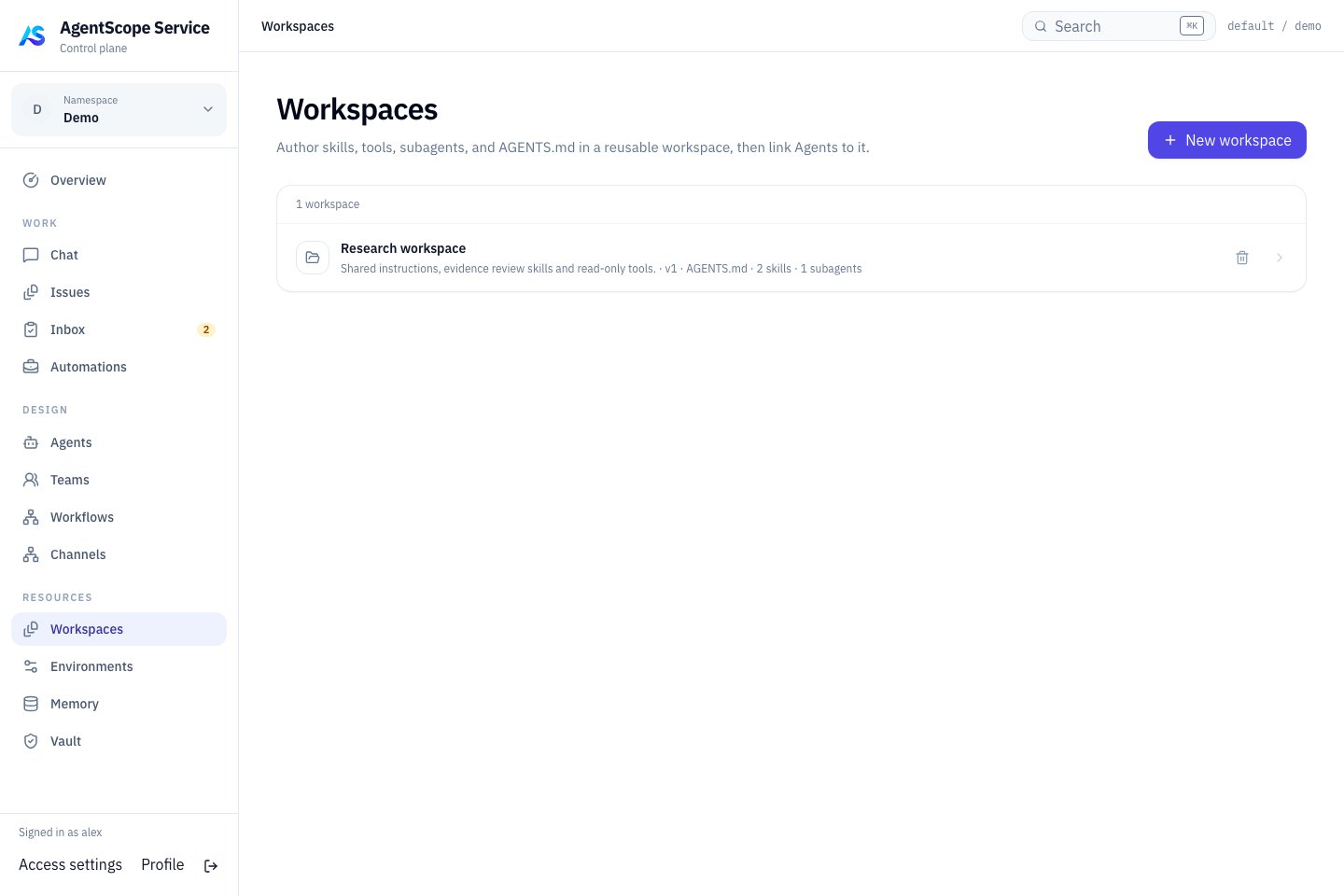
Current console UI with fixed demonstration data.
Choose the right content
Use Memory for shared knowledge and Vault for secrets. Reference credentials explicitly in tool connections instead of storing plaintext.
Execution directories
Managed Agents access inputs, temporary files and outputs through their Environment. The Workspace supplies capability definitions; the Environment supplies the actual filesystem and Shell execution location. Creating a Workspace does not start a Worker or install programs. Bind the definition, then verify paths and dependencies in the actual Environment. Inspect consumers before editing and verify changes with new work. Resolve dependent references before deleting a shared Workspace. Backups need both database references and Workspace storage.APIs and access
Authenticate with a platform user Bearer token and select a scope withX-AgentScope-Tenant and X-AgentScope-Namespace. Reading, editing, and publishing require the corresponding inspect, edit, and publish resource permissions; creation requires namespace resource creation rights. Set variables as shown in the API identity setup. Below, {id} is the returned Workspace ID; encode URL parameters.
The Workspace resource’s
version tracks the draft. Draft PATCH, file, and capability writes currently have no expectedVersion condition; avoid concurrent overwrites. Published revisions are immutable snapshots. Publishing identical content again returns the existing revision. Deleting a Workspace still referenced by Agents returns 409.