
This is preview documentation. The official release is not yet available.
defaultEnvironmentId in the Agent definition or select it through environmentId when creating a Session. The first supplies a default for the Agent’s new Sessions; the second selects the location for this Session only. Agent tool configuration still controls tool availability and confirmation.
A Workspace supplies instructions, Skills, and tool definitions, while the Environment determines where files and commands are executed. Managed model calls and reasoning remain in Dataplane even when tools run on a self_hosted Worker. A Hosted Agent’s Runtime Host runs another kind of Agent runtime; its enrollment credentials cannot replace an Environment Worker’s credentials.
Use the platform identity variables from the API identity setup and AGENT_ID from your first Managed Agent to verify file tools. If a suitable Environment already exists, retain its ID and continue to binding. When creating one yourself, also prepare its execution backend: a successful resource creation does not establish that a Worker is online or sandbox credentials are usable.
Choose a type
In Docker, Local means inside the Dataplane container, not arbitrary access to the host filesystem. Choose a backend according to production isolation and networking requirements.
Create an execution environment
This request creates aself_hosted Environment and returns its resource ID and a one-time apiKey. The ID selects the resource for an Agent or Session, while the key authenticates the Worker connecting to the platform. Neither serves the same purpose as the user TOKEN used for management APIs.
ENVIRONMENT_ID and ENVIRONMENT_KEY, then start the Worker below. Other types require their own backend preparation: Local requires administrator permission, while Sandbox requires working E2B configuration. Changing type in the request does not perform that preparation.
Run a self-hosted Worker from the published image
Create a self_hosted Environment and save its API key. SetSCHEDULER_IMAGE to the full scheduler image reference from the manifest, BASE_URL to a Gateway URL reachable from the Worker, and ENVIRONMENT_ID/ENVIRONMENT_KEY to the new Environment’s values.
Bind and configure
Select an environment for one Session
Once the Worker or other execution backend is ready, passENVIRONMENT_ID when creating a Session. This does not change the Agent’s default, so it is useful for verifying a new environment or running the same Agent in different environments for different work. The resource must be accessible to the current identity.
Set the Agent’s default environment
To use this environment by default in the Agent’s future Sessions, write the following toresource-defaults.json and follow the complete GET/PATCH procedure in setting default resources. That procedure retains tools, instructions, and other resource bindings and supplies the current definition version.
environmentId. An explicit ID overrides the environment only for that Session. Changing the default does not move existing Sessions. An existing Managed Session can PATCH its own environmentId; do so after current work finishes and verify subsequent tasks. Changing the binding does not copy working files from the previous environment.
Verify actual execution
Creating a Session records the environment selection without executing tools. With the file tools already enabled by your first Managed Agent, submit a task to$SESSION_URL/turns that writes and reads back environment-check.txt. Inspect tool records in snapshots and events. The file belongs in the selected backend’s working directory, not the terminal directory running curl. For a Worker, also inspect its tool claims and returned results.
If the Agent responds but file operations fail, inspect the Session’s environmentId, then check that backend’s connectivity, directory mounts, program dependencies, and permissions. Agent instructions cannot supply missing backend files or executables. If a required tool is disabled, update the Agent definition using the tool guide and verify it in a new Session.
E2B sandbox example
An administrator suppliesBUILDER_E2B_API_KEY through deployment configuration. Create a sandbox Environment and use this Config:
workspaceRoot controls the sandbox path; persistenceMode can be TAR or NATIVE_SNAPSHOT. Verify save/restore with the chosen template and backend. The remote type is filesystem-only, not a remote Shell Worker.
Sandbox parameters
Set these fields in the Environment’s Config. Omitted E2B connection settings inherit administrator deployment configuration.
Adding
packages, Docker image or network fields to Config does not install dependencies or enforce network restrictions. Prepare programs in the E2B template and apply network policy in the actual backend. These sandbox settings do not configure local or self_hosted containers.
Interface tour
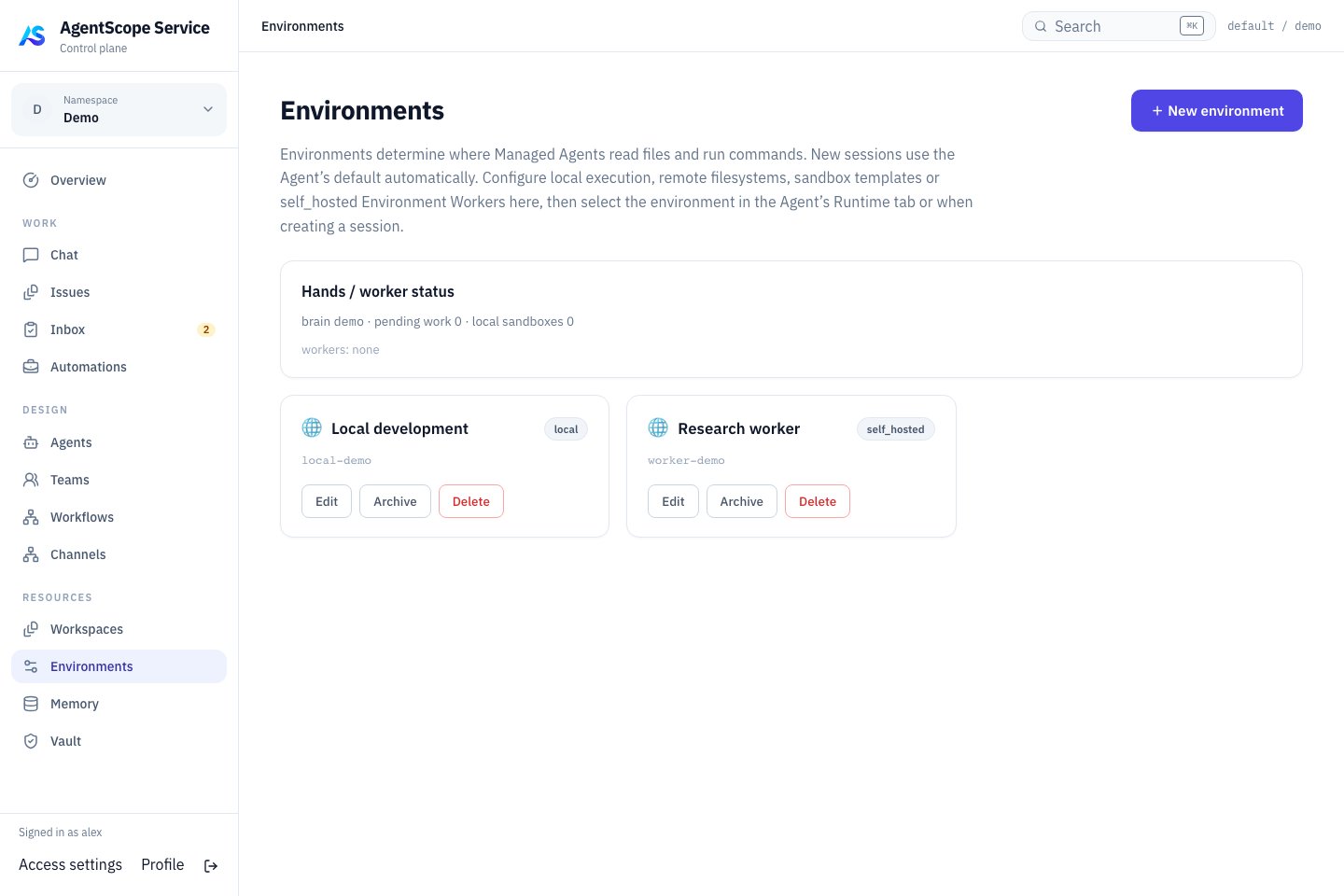
Current console UI with fixed demonstration data.
Diagnose tool failures
Distinguish resource-selection errors from backend-execution errors. For selection errors, inspect Agent defaults, explicit Session choices, and the caller’s resource permissions. For execution errors, inspect Worker availability, sandbox credentials, directories, and dependencies. Archiving, deleting, or reconfiguring an Environment can affect other consumers; inspect usage before maintenance. These operations do not replace Turn cancellation. Environmentconfig belongs to the resource, and PATCH replaces the entire object. Read it first and preserve unrelated fields. Unlike a Workspace publication, it has no published revision; a pinned Agent definition does not isolate an existing Session from changes to its execution backend. Prefer a new Session to verify configuration changes, and update all connecting Workers after key rotation.
config.memoryAccess accepts read_only or read_write by Store ID, but the current Managed HarnessAgent execution path mounts shared knowledge read-only. Setting read_write does not enable writes through that path or bind a Store. See Memory access for the distinction between runtime reads and management API updates.
Management APIs
Use a platform user Bearer token withX-AgentScope-Tenant and X-AgentScope-Namespace; prepare variables as in the API identity setup. Listings are filtered to inspectable resources. Reads require inspect, mutations require edit, and creation requires namespace resource creation rights.
These mutations have no version condition. Read config and retain other required settings before replacing it. Archived resources cannot be patched. Check Agent and Session usage before archival or deletion; resource maintenance does not cancel running work.